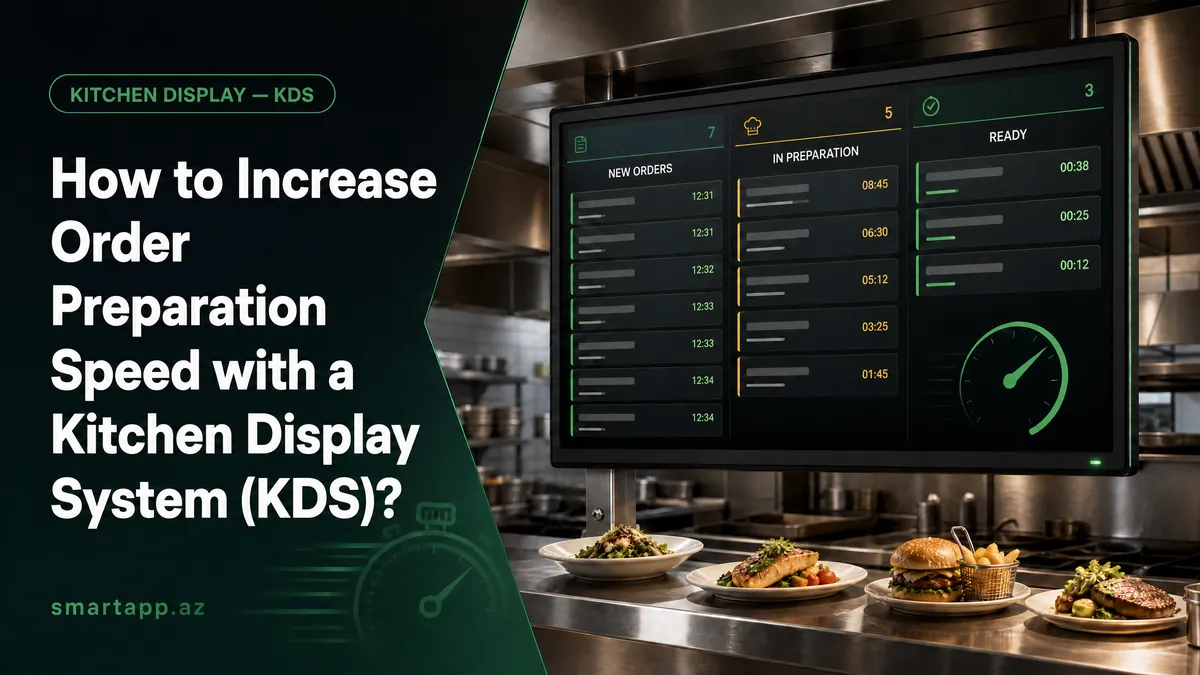
How to Increase Order Preparation Speed with a Kitchen Display System (KDS)
During peak lunch and dinner rushes, kitchen noise, greasy lost paper tickets, and misread server handwriting create order mix-ups, delayed food, and frustrated guests. Traditional kitchen printers only print one-way receipts and cannot communicate back when a dish is ready. The SmartApp.az Kitchen Display System (KDS) completely digitizes your restaurant kitchen, accelerating order preparation speed by up to 40% while eliminating order errors.
In this comprehensive guide, we explain how SmartApp KDS works, smart multi-station routing, visual aging timers, full comparison against paper tickets, and step-by-step kitchen deployment.
Table of Contents:
- 1. Instant Real-Time Order Routing & Audio Alerts
- 2. One-Tap Status Workflow & Server Handheld Notifications
- 3. Smart Multi-Station Routing (Hot Kitchen, Grill, Bar, Pastry)
- 4. Guest Modifiers, Special Instructions & Allergen Highlights
- 5. Color-Coded Aging Timers & Rush Bottleneck Management
- 6. Comparison Table: Traditional Paper Tickets vs SmartApp KDS
- 7. Kitchen Analytics & Cook Performance (KPIs)
- 8. Step-by-Step KDS Hardware & Account Setup
- 9. Frequently Asked Questions (FAQ)
- 10. Conclusion & Getting Started with SmartApp KDS
1. Instant Real-Time Order Routing & Audio Alerts
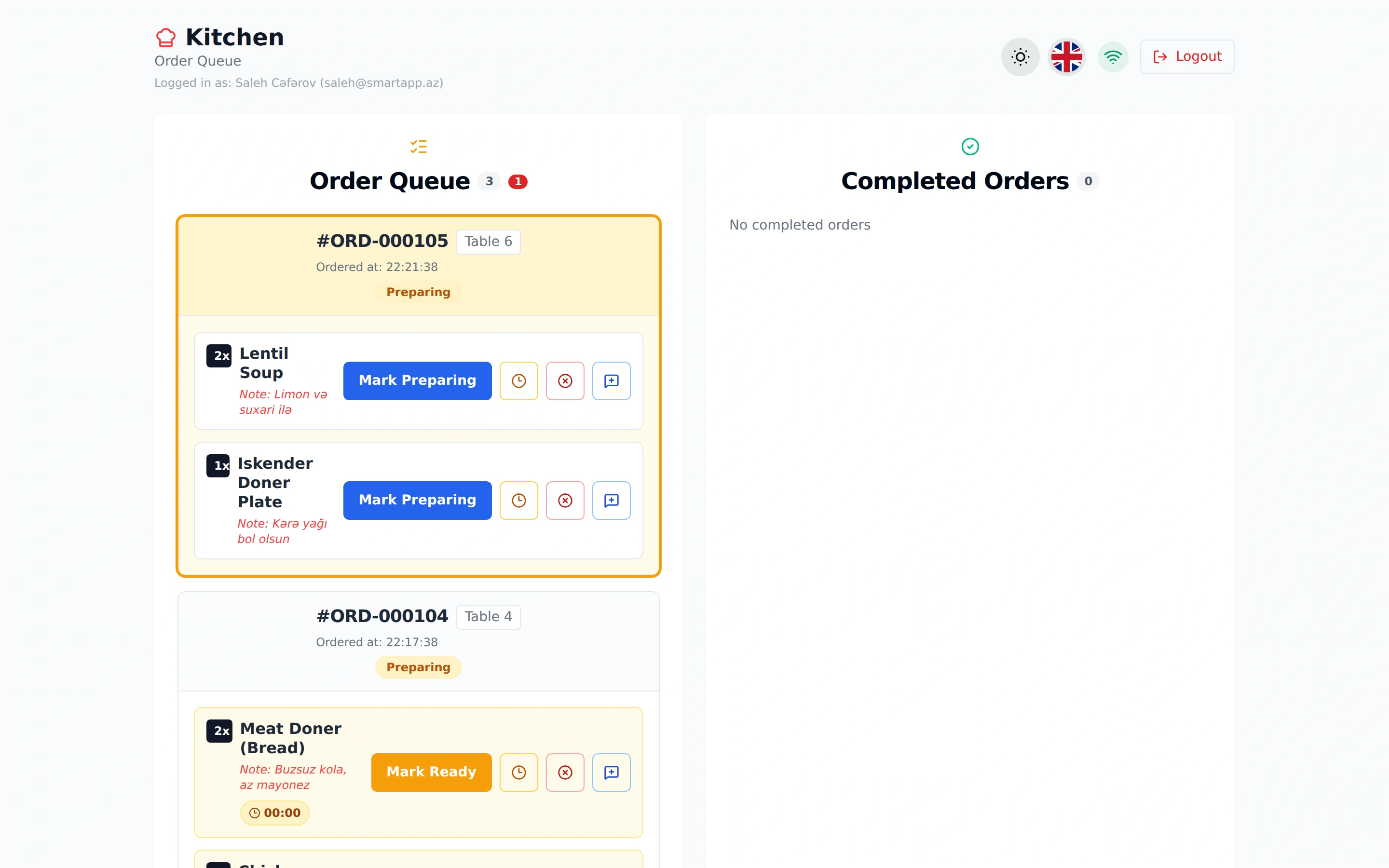
The split second an order is submitted by a server on their POS tablet or sent directly by a guest through their table QR menu, it pings the kitchen screen in less than 0.1 seconds. A distinct audio chime alerts the kitchen team as a new order ticket renders at the front of the queue.
Each digital order card displays essential context clearly:
- Table & Location Tag: e.g., Table 4 (VIP Lounge) or Table 12 (Terrace).
- Server & Order ID: Staff member responsible for the table and order number.
- Elapsed Cook Timer: Live countdown and prep timer ticking in real time.
- Quantity & Item Details: Clear dish portions, cook temperatures, and special notes.
2. One-Tap Status Workflow & Server Handheld Notifications
In traditional kitchens, chefs must shout across the line or ring service bells when orders are done, creating noise pollution that ruins the dining atmosphere and leads to food sitting cold under heat lamps.
With SmartApp KDS, cooks update dish statuses with a single tap on the touch screen:
- Pending: Order received and queued up in the prep line.
- Preparing: Cook marks the ticket actively being grilled, cooked, or baked (blue/amber indicator).
- Ready: When plated and garnished, chef taps "Mark Ready" (orange/green indicator).
💡 Instant Server Notification: The exact millisecond the chef taps "Mark Ready", the assigned server receives an instant push notification on their handheld device: "Table 4: Meat Doner is ready for pickup!". Waiters pick up dishes immediately, ensuring food reaches guests at peak temperature.
3. Smart Multi-Station Routing (Hot Kitchen, Grill, Bar, Pastry)
In busy restaurants, the hot line, grill station, cocktail bar, and dessert bakery operate in different physical areas. SmartApp KDS automatically splits each incoming order to its respective prep station:
- Hot Kitchen Screen: Soups, pastas, side dishes, and sauteed entrees.
- Grill & BBQ Screen: Steaks, kebabs, burgers, and skewers.
- Bar Screen: Cocktails, specialty coffee, fresh juices, and wine orders.
- Pastry & Dessert Screen: Cakes, pastries, and ice cream desserts.
Chefs can use the top station filter tabs to view either their specific station or switch to the master view to coordinate timing across the entire kitchen.
4. Guest Modifiers, Special Instructions & Allergen Highlights
Special guest requests frequently get lost on cluttered paper slips. SmartApp KDS highlights all modifiers with distinct colored alert notes:
- "Note: With lemon and croutons"
- "Note: Extra butter sauce"
- "Note: No ice cola, light mayo"
- "Note: Mild, with crispy french fries"
Highlighting instructions directly on the cook's ticket prevents expensive food waste and ensures strict allergy safety compliance.
5. Color-Coded Aging Timers & Rush Bottleneck Management
Every ticket on the KDS monitor dynamically updates its color based on ticket age:
- Green Timer (0 - 5 min): Order on schedule, within target prep time.
- Yellow Timer (5 - 10 min): Dish approaching standard prep threshold; cooks prioritize assembly.
- Flashing Red Timer (10+ min): Order overdue! Head chef immediately steps in to expedite the bottleneck.
6. Comparison Table: Traditional Paper Tickets vs SmartApp KDS
| Feature | Traditional Paper Printer Slips | SmartApp.az Kitchen Display System |
|---|---|---|
| Order Delivery Speed | 1-3 minutes printer lag and ticket tearing | Instant 0.1-second live routing with audio alert |
| Operational Paper Costs | Thermal paper rolls, replacement printer heads | Zero paper costs (100% digital and eco-friendly) |
| Ticket Loss & Grease Damage | High risk (drops on wet counters, misfiled) | Zero risk (stored securely in central database) |
| Server Coordination | Shouting orders or ringing kitchen bells | One-tap push notification to server's device |
| Aging & Rush Visibility | None (Chefs forget when order arrived) | Dynamic Green / Yellow / Red flashing timers |
| Cook Performance Tracking | Impossible to measure or quantify | Precise average prep times and chef KPI analytics |
7. Kitchen Analytics & Cook Performance (KPIs)
SmartApp's administrative reporting dashboard compiles real-time kitchen intelligence:
- Average Order Prep Time: Track average minutes per ticket (e.g., 9.4 min benchmark).
- Slowest Menu Items: Identify complex dishes that create prep bottlenecks.
- Shift & Chef Productivity: Review total completed orders per station and chef.
- Rush Hour Capacity: Analyze kitchen load during lunch and dinner peaks to optimize staffing.
8. Step-by-Step KDS Hardware & Account Setup
Setting up SmartApp KDS requires no proprietary expensive hardware:
- Select Display Hardware: Use any standard Android tablet, iPad, commercial touchscreen, or wall-mounted Smart TV.
- Create Kitchen User: In SmartApp Business Panel > Staff, create a chef profile with a secure PIN.
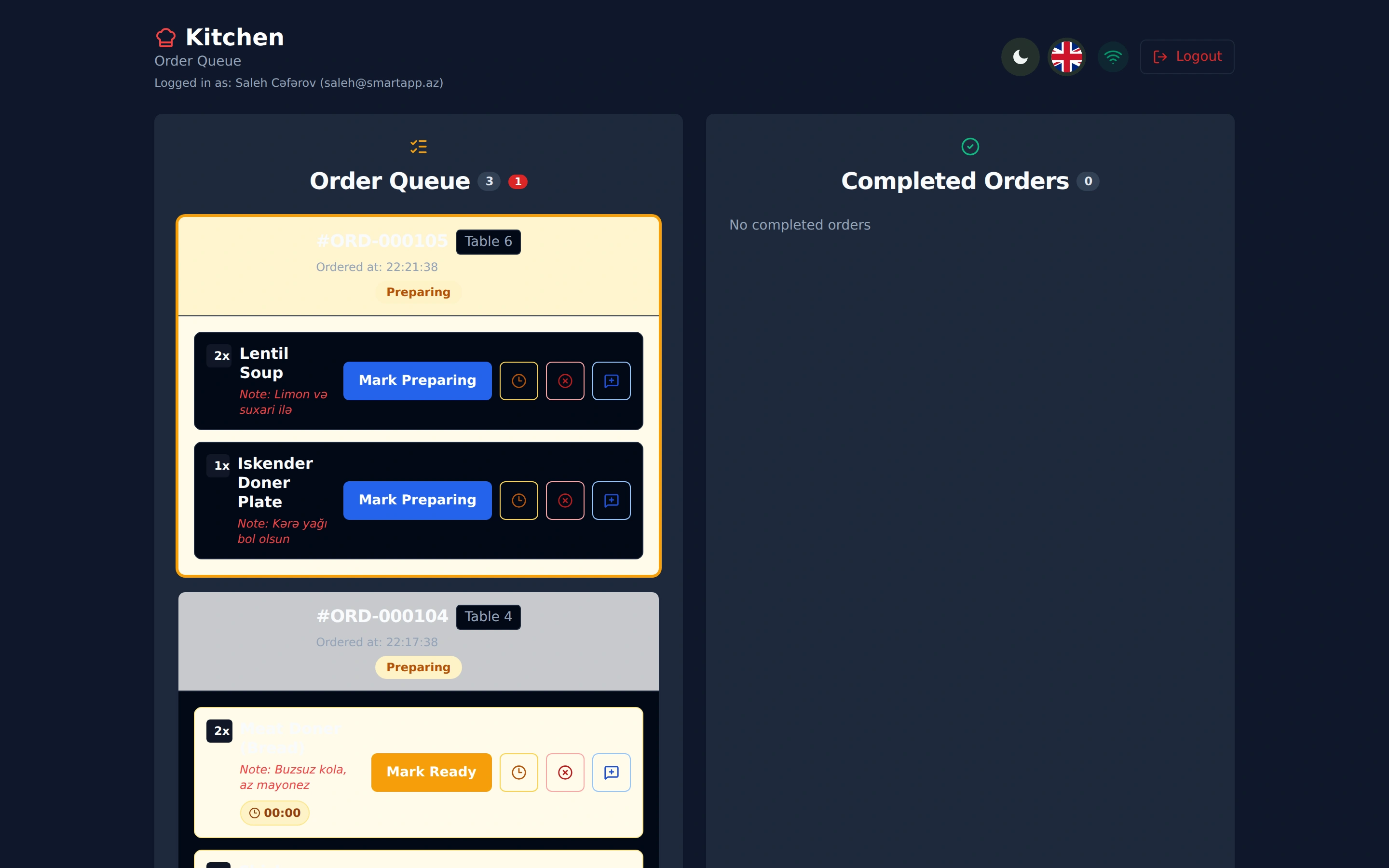
- Launch Kitchen View: Open the browser on your display, navigate to app.smartapp.az, select the "Kitchen" tab, and choose your preferred Light or high-contrast Dark theme.
- Enable Audio Alerts: Toggle the sound icon on the top bar to ensure audible chime alerts during busy service.
9. Frequently Asked Questions (FAQ)
Question: What happens if the restaurant internet connection drops?
SmartApp KDS includes offline-resilient architecture. Kitchen tickets continue to function locally and automatically resynchronize when the connection is restored.
Question: Can I connect multiple KDS screens across different kitchen areas?
Yes! You can connect unlimited screens simultaneously for hot kitchen, grill, sushi bar, cocktail bar, and pastry stations.
Question: Do I need to install an app from an app store?
No, SmartApp KDS is a modern Progressive Web App (PWA) that runs instantly in any web browser without installation hassles.
10. Conclusion & Getting Started with SmartApp KDS
SmartApp.az Kitchen Display System is the ultimate kitchen management upgrade for modern hospitality businesses looking to eliminate paper ticket costs, speed up ticket times, and deliver exceptional dining experiences.
Start your 14-day free trial on SmartApp.az today or contact our team to schedule a personalized kitchen automation demo.
Share
Reviews
No approved reviews yet.
Related articles
 starFeaturedHow to Use
SmartApp Business Panel: A-to-Z Registration and Full Management Guide
Step-by-step illustrated guide covering everything from registering on the SmartApp.az system to managing tables, menus, QR orders, cash register, and staff.
 starFeaturedHow to Use
SmartApp.az User Panel: A to Z Guide for Registration, Subscription Management, and Analytics
A complete guide to the SmartApp.az user panel, covering everything from logging in, choosing subscription plans, payments, invoices, sales analytics, and location settings.
 How to Use
Smart Control of Restaurant Inventory & Raw Material Stock: A Step-by-Step Guide
A complete guide to registering raw materials, assigning ingredients to dishes, and managing automatic depletion using the SmartApp.az inventory module.